How to Have Text Read Aloud to You on Any Device
Listening instead of reading helps you proofread, rest your eyes, learn a language or get through articles while you do something else. Every modern device can read text aloud for free. Here's how.
Quick answer
Paste your text into a free text-to-speech tool, choose a voice and speed, and press Play. Built-in options also exist: Read aloud in Microsoft Edge (Ctrl+Shift+U), Spoken Content on Mac and iPhone, and Select to Speak on Android.
Why listen to text?
- Proofreading. Your brain auto-corrects mistakes when you read your own writing. Hearing it reveals missing words, repetitions and clumsy sentences.
- Accessibility. Text-to-speech supports people with dyslexia, low vision, ADHD or reading fatigue.
- Language learning. Hear how words and full sentences are pronounced.
- Multitasking. Listen to articles, reports or study notes while cooking, walking or commuting.
- Eye strain. Give your eyes a break after a long day at the screen.
Method 1: A free online text-to-speech tool
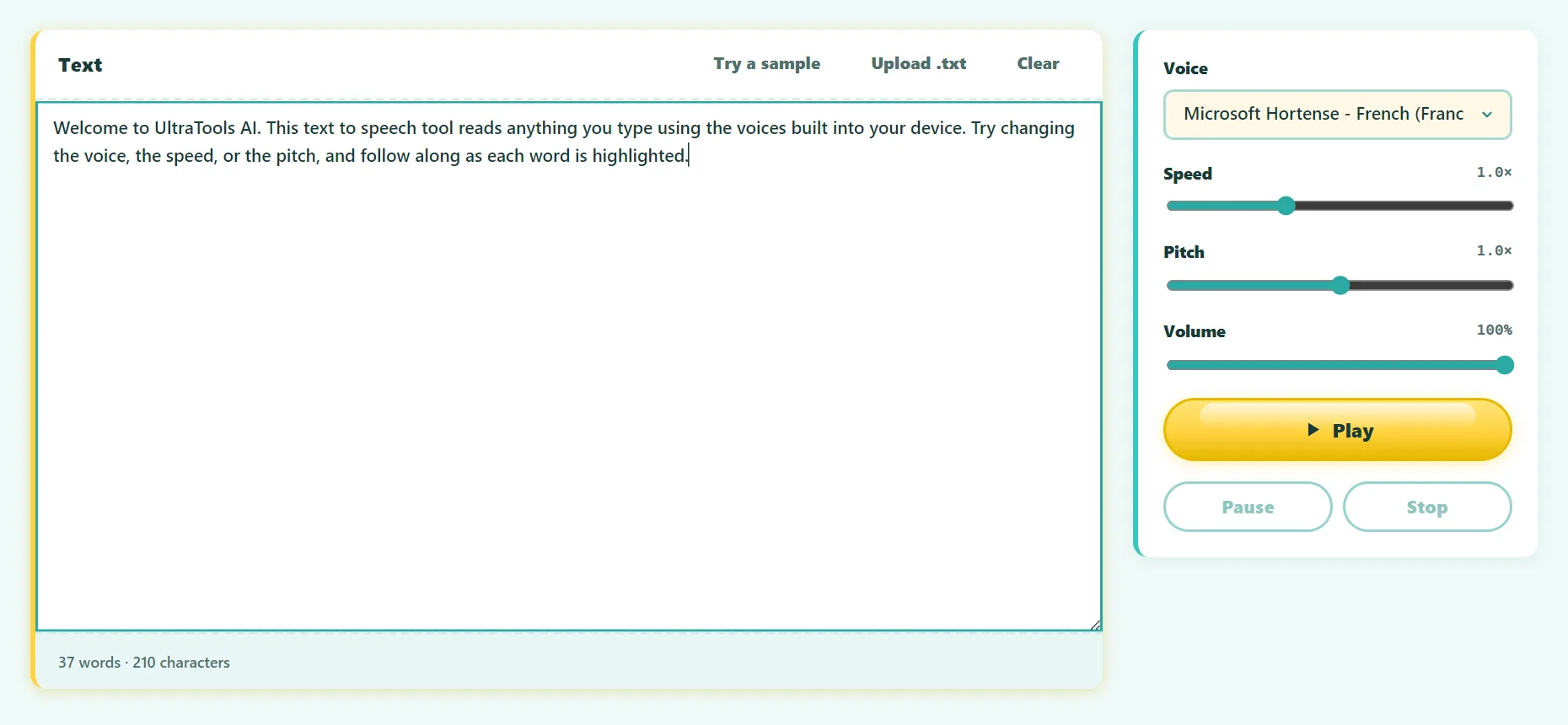
- Open the free Text to Speech tool.
- Paste any text: an article, an email, your own draft.
- Choose a voice. The list shows every voice available on your device, in many languages.
- Set the speed and pitch.
- Press Play and follow along as each word is highlighted.
There's no length limit: long texts are read sentence by sentence. The tool uses your device's built-in speech engine, so this page never uploads your text.
Try it free: Text to Speech
Read text aloud with your browser’s built-in voices. Runs in your browser, no sign-up.
Method 2: Microsoft Edge "Read aloud"
Edge has one of the best built-in readers, with very natural online voices. Open a web page or PDF and press Ctrl+Shift+U, or right-click and choose Read aloud. Use the toolbar to change voice and speed.
Method 3: Windows Narrator
Narrator is Windows' full screen reader. Turn it on or off with Ctrl+Win+Enter. It reads everything on screen, including menus and buttons, so it's designed for people who rely on it to use the computer. For simply listening to an article, Edge's Read aloud is easier.
Method 4: Mac "Speak selection"
- Open System Settings → Accessibility → Spoken Content.
- Turn on Speak selection.
- Select text in any app and press Option+Esc to hear it.
Method 5: iPhone and iPad "Speak Screen"
- Go to Settings → Accessibility → Spoken Content and turn on Speak Screen.
- On any page, swipe down from the top of the screen with two fingers.
- Use the controls to pause or change the speed.
Method 6: Android "Select to Speak"
Turn it on in Settings → Accessibility → Select to Speak. Then tap the accessibility shortcut, select text on screen, and Android reads it aloud. Google Chrome on Android can also listen to many web pages: open the menu and look for Listen to this page.
How to get more natural voices
- Look for "Natural" or "Online" voices. In Edge and Chrome, these neural voices sound far more human than older system voices.
- Install extra voices. Windows (Settings → Time & language → Speech) and macOS (Spoken Content → System voice → Manage voices) let you download higher-quality voices for free.
- Match the voice to the language. An English voice reading French text sounds wrong.
- Find your speed. Most people get comfortable at 1.2–1.5× after a few minutes, and experienced listeners go faster.
Text-to-speech for proofreading: a simple routine
- Finish your draft, then take a short break.
- Play it back at normal speed while reading along.
- Pause every time something sounds odd, fix it, and continue.
- Listen once more at a faster speed to check the flow.
It's especially effective for emails, cover letters and anything you'll send to many people.
Frequently asked questions
Can I download the audio as an MP3?
Browsers don't allow websites to record their built-in speech engine, so audio plays live. To keep a copy, use your system's audio or screen recorder.
Why are the voices different on my phone and computer?
The voices come from your operating system and browser, and each one ships its own set.
Is my text sent to a server?
Our page never uploads your text. Voices labeled "Online" or "Natural" are generated by your browser vendor's cloud service. Other voices run entirely on your device.
Is text-to-speech free?
Yes. Every method in this guide is free.
The bottom line
Your devices can already read to you. Use the built-in readers for web pages and documents, and a text-to-speech tool when you want to paste any text, choose voices freely and follow the highlighted words.
Found something out of date or unclear? Email contact@ultratoolsai.com and we'll fix it.