How to Fix Invalid JSON: The 8 Most Common Errors
"Unexpected token", "Unexpected end of JSON input", "Expecting property name": JSON errors are cryptic, but almost all of them come from the same few mistakes. Here's how to find and fix each one.
Quick answer
Paste the JSON into a JSON validator to see the exact line and column of the error. The usual culprits are trailing commas, single quotes, unquoted keys, comments, and missing brackets. Fix the first error, validate again, and repeat.
JSON's rules in 30 seconds
JSON (JavaScript Object Notation) looks like JavaScript, but it's much stricter:
- Keys must be strings in double quotes.
- Strings use double quotes only.
- Values can be a string, number,
true,false,null, an object or an array. - Items are separated by commas, with no comma after the last item.
- No comments, no
undefined, no functions.
Find the error fast
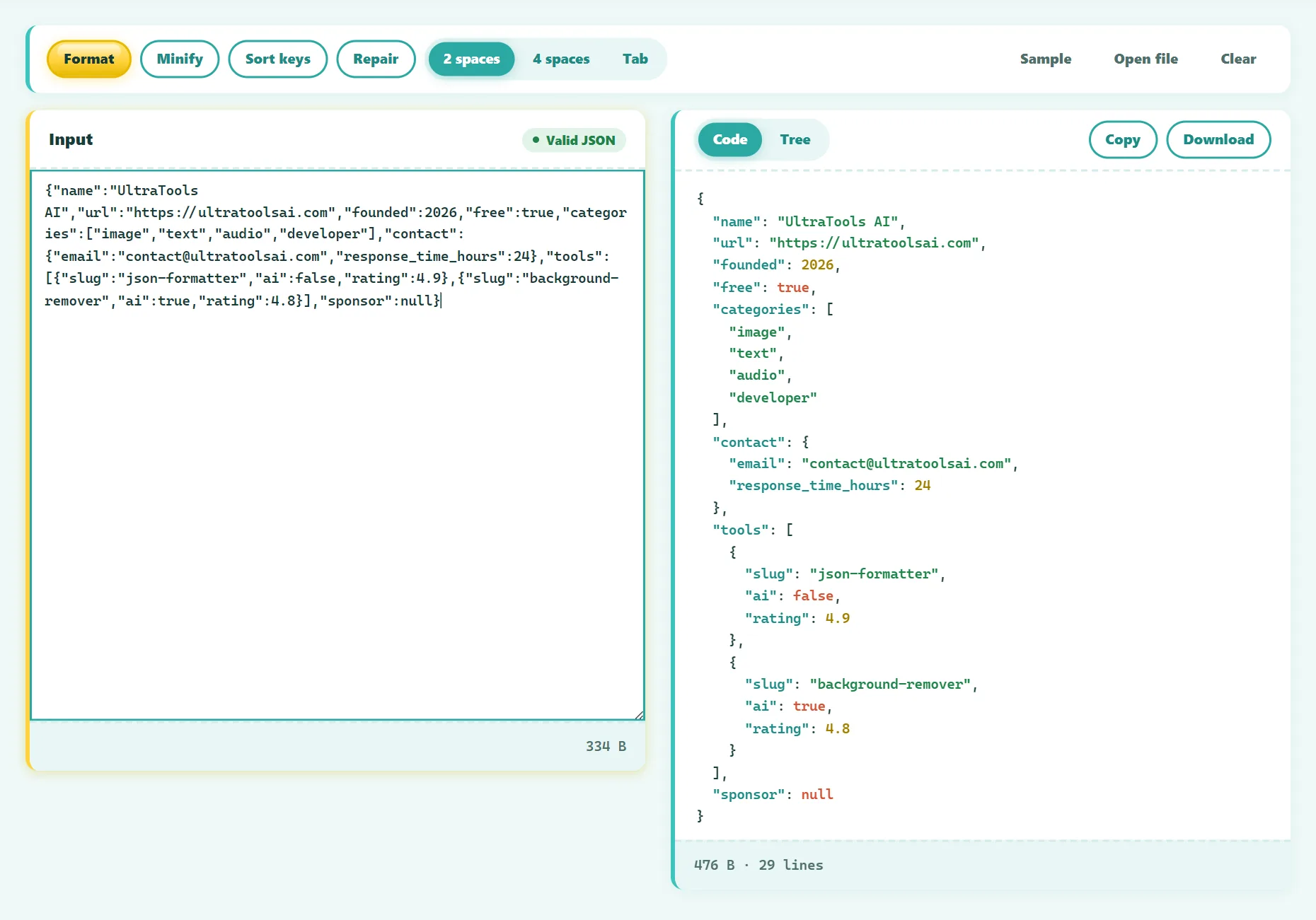
- Open the free JSON Formatter & Validator.
- Paste your JSON or drop in a .json file.
- If it's invalid, the error is shown with its line and column. Jump straight to it.
- Try the Repair button, which fixes trailing commas, single quotes, unquoted keys and comments automatically.
- Format the result with 2 spaces, 4 spaces or tabs, and explore it in the tree view.
Try it free: JSON Formatter & Validator
Format, minify, validate, and explore JSON as a tree. Runs in your browser, no sign-up.
1. Trailing commas
// ❌ Invalid
{ "name": "Ana", "age": 31, }

// ✅ Valid
{ "name": "Ana", "age": 31 }
JavaScript allows a comma after the last item; JSON doesn't. This is the single most common error, especially after deleting the last line of an object.
2. Single quotes
// ❌ Invalid
{ 'name': 'Ana' }

// ✅ Valid
{ "name": "Ana" }
3. Unquoted keys
// ❌ Invalid
{ name: "Ana" }

// ✅ Valid
{ "name": "Ana" }
4. Comments
// ❌ Invalid
{
  // user settings
  "theme": "dark"
}
Standard JSON has no comments. Some tools accept "JSONC" (JSON with comments), such as VS Code's settings files, but most parsers don't. Remove comments or put notes in a field like "_comment".
5. Missing commas between items
// ❌ Invalid
{ "a": 1 "b": 2 }

// ✅ Valid
{ "a": 1, "b": 2 }
Usually caused by adding a new line and forgetting the comma on the line before. The error is reported at the start of the next item.
6. Mismatched or missing brackets
// ❌ Invalid: the array is never closed
{ "tags": ["a", "b" }
Errors like "Unexpected end of JSON input" often mean a closing } or ] is missing, or the text was cut off. Formatting the JSON with indentation makes the structure easy to check.
7. Invalid values
// ❌ Invalid
{ "price": NaN, "date": undefined, "big": 1e999, "hex": 0xFF, "zip": 01234 }

// ✅ Valid
{ "price": null, "date": null, "hex": 255, "zip": "01234" }
JSON numbers can't have leading zeros, hex notation, NaN or Infinity. Store values like postcodes and phone numbers as strings to keep their leading zeros.
8. Unescaped characters in strings
// ❌ Invalid
{ "path": "C:\Users\ana", "quote": "She said "hi"" }

// ✅ Valid
{ "path": "C:\\Users\\ana", "quote": "She said \"hi\"" }
Backslashes and double quotes inside strings must be escaped with a backslash. Real line breaks inside a string must be written as \n.
Errors that aren't really JSON problems
- "Unexpected token < in JSON at position 0": you received HTML instead of JSON. The API probably returned an error page or a login redirect. Check the status code and URL.
- "Unexpected end of JSON input" with an empty response: the server sent nothing. Check the request, not the parser.
- Invisible characters: a byte-order mark (BOM) or "smart quotes" pasted from a word processor. Retype the quotes, or save the file as UTF-8 without BOM.
Prevent JSON errors in the first place
- Never build JSON by hand in code. Use
JSON.stringify()in JavaScript orjson.dumps()in Python. - Use an editor with JSON validation, such as VS Code, which underlines errors as you type.
- Validate API payloads against a JSON Schema in your tests.
- Sort keys before comparing two JSON files, so diffs show real changes only.
Frequently asked questions
Why does my JSON work in JavaScript but not in JSON.parse?
JavaScript object literals allow single quotes, unquoted keys, trailing commas and comments. JSON doesn't, so code that looks fine in a .js file fails as JSON.
Can JSON have comments?
Not in the standard. Some formats like JSONC and JSON5 allow them, but only with parsers that support those formats.
Is it safe to paste API responses into an online formatter?
Only if it doesn't upload your data. Our formatter parses everything in your browser, so tokens and personal data stay on your device.
The bottom line
JSON errors almost always come from a short list of mistakes. Validate to find the exact position, fix the first error, re-validate, and generate JSON with code rather than by hand whenever you can.
Found something out of date or unclear? Email contact@ultratoolsai.com and we'll fix it.