Amazon Product Image Requirements: How to Get a Pure White Background
Amazon suppresses listings whose main image breaks the rules, and the most common reason is a background that is not truly white. Here is what the main image must look like, how to fix a photo step by step for free, and how to check the result before you upload.
Quick answer
For a main image on Amazon, the product must sit on a pure white background (RGB 255, 255, 255), fill about 85% of the frame, be a real photo of the item with no text, logos, badges or watermarks, and be large enough to zoom (aim for 1,600 px or more on the longest side). To get there, remove the background, choose white, crop to a square and export as JPG or PNG. Everything runs in your browser, so product photos are never uploaded.
The main image rules at a glance
Amazon sets the strictest rules for the main (first) image, the one shown in search results. Additional images have more freedom. These are the requirements you will see repeated across Amazon's guidance and seller resources:
| Requirement | What to do |
|---|---|
| Background | Pure white, RGB 255, 255, 255. Off-white, light gray and soft shadows that tint the background can be flagged. |
| Product size in frame | The product should fill roughly 85% of the image. Do not leave large empty margins. |
| Image type | A professional-looking photo of the actual product, not a drawing, illustration or mockup. |
| Extras | No text, logos, watermarks, badges, borders or promotional graphics on the main image. Props that are not included with the product are not allowed. |
| Size | Amazon's published guidance has mentioned both a 500 px minimum and 1,000 px or more for the zoom feature. Larger is safer: 1,600 px or more on the longest side gives sharp zoom. |
| Format | JPG is the most common choice. PNG and TIFF are also accepted. Use RGB color. |
Check the official source. Marketplace rules change, and some categories (books, apparel, jewelry and others) have their own extra requirements. Before you upload, read the current image guide in Seller Central for your category.
Why "almost white" gets listings flagged
A background that looks white on your screen is often not RGB 255, 255, 255. Phone photos typically come out light gray or slightly warm because of lighting. Even a value like 250, 250, 250 is not pure white, and image checks that compare pixel values will catch it. Soft shadows under the product are another common cause, because they darken the edge of the background.
Removing the background and replacing it with a solid white fill fixes both problems at once: every pixel outside the product becomes exactly white.
How to make a white background, step by step
- Start with a good photo. Shoot the product in even light against a plain surface, in focus, with some contrast between the product and the background.
- Open the free Background Remover and drop in your photo.
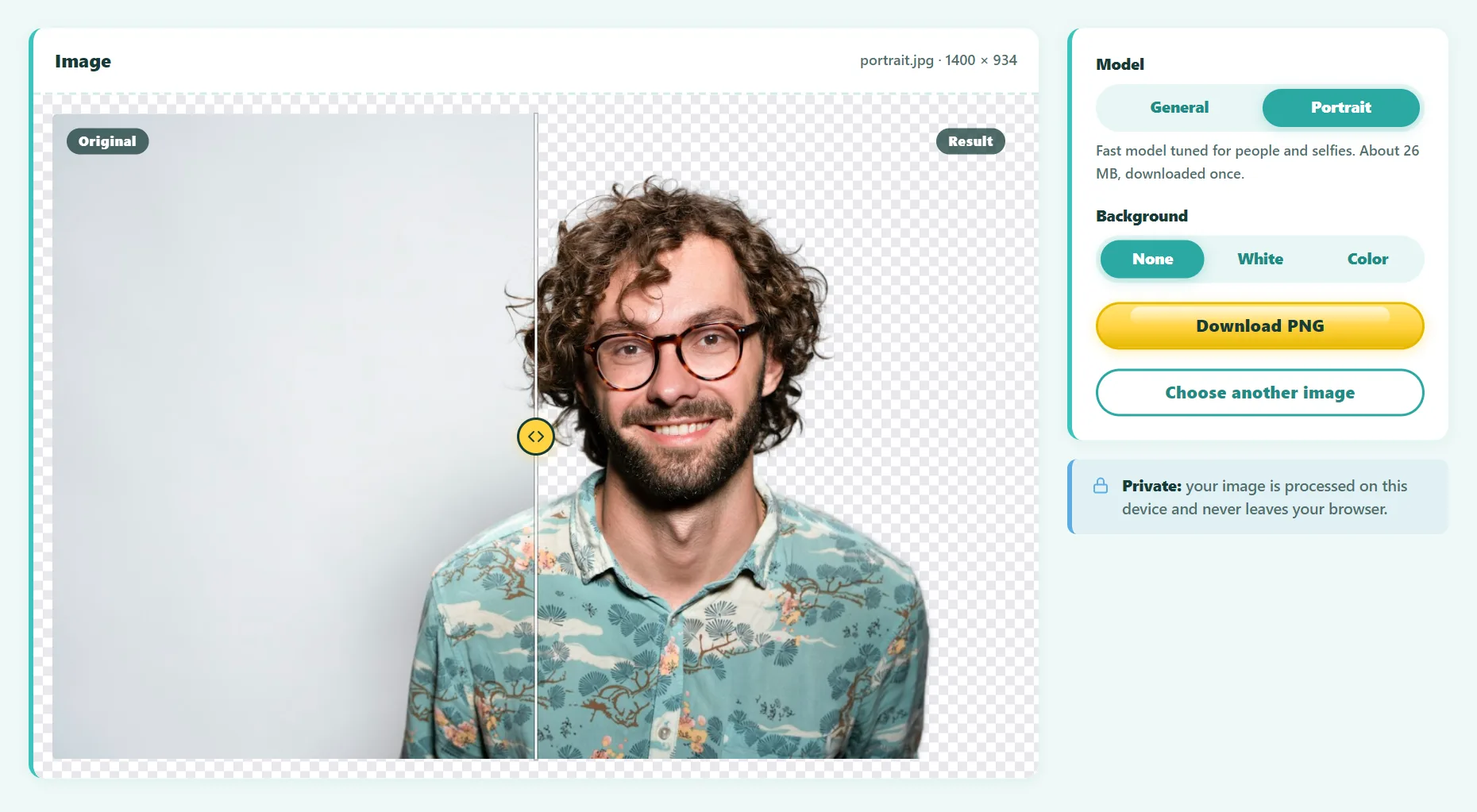
- Choose the General model for objects and products. If the photo shows a person (for example clothing worn by a model), try Portrait.
- Select the white background option and download the result as PNG.
- Open the Smart Crop tool and crop to 1:1 so the product is centered and fills about 85% of the frame.
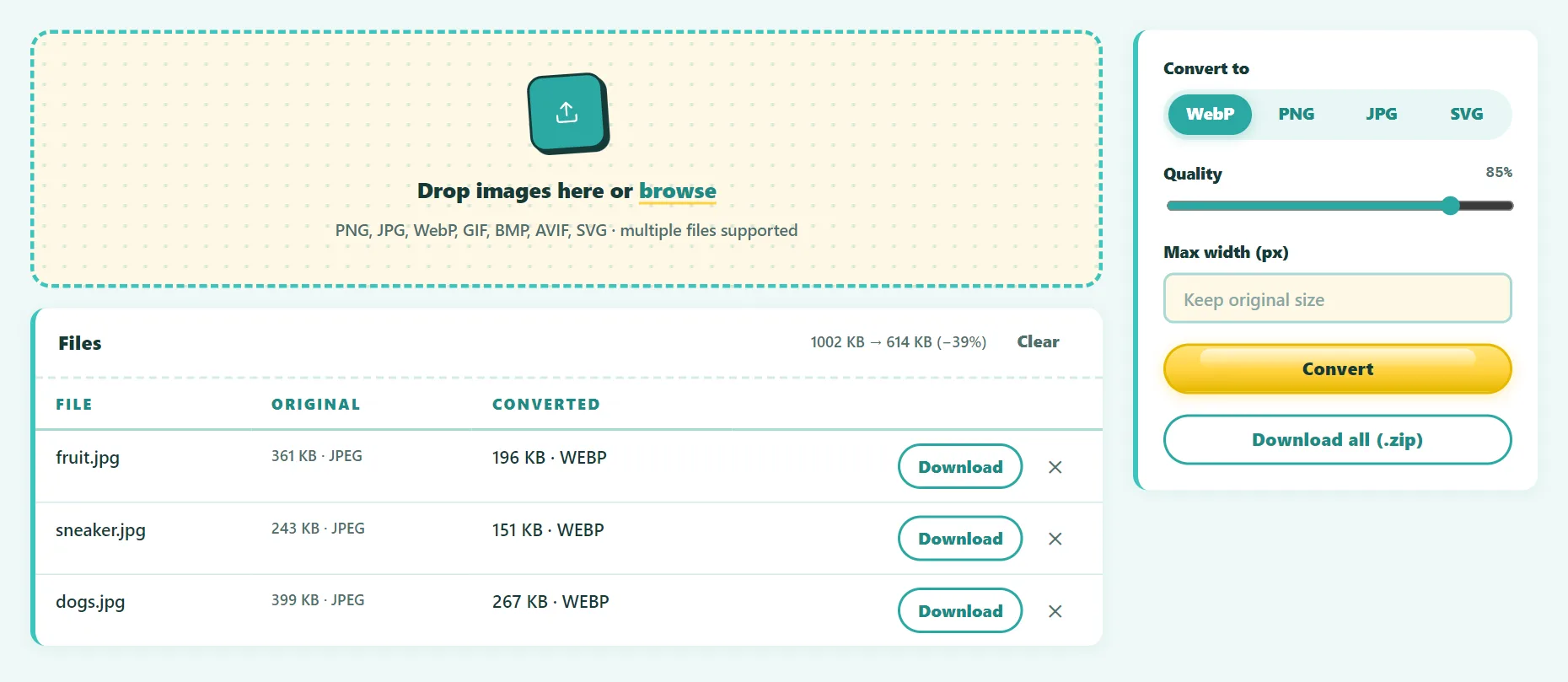
- Use the Image Converter to save a JPG at quality 85–90 (or keep PNG), with the maximum width set to at least 1,600 px so you do not shrink the image by accident.
- Verify the white (see the next section), then upload.
Try it free: AI Background Remover
Remove image backgrounds automatically and download a transparent PNG. Runs in your browser, no sign-up.
How to check that the background is really white
- Open the Color Palette Generator and drop in your finished image.
- Click on the empty area next to the product to sample the exact pixel under your cursor.
- Read the value. It should be #FFFFFF, which is RGB 255, 255, 255.
- Sample two or three more spots, including a corner and the area just under the product.
If any spot shows a value such as #FAFAFA, you still have a faint gray. Re-export with the white background option instead of editing the original photo's brightness.
Common mistakes that cause suppressed listings
- Gray or cream background. Looks white, is not. Use a solid white fill and verify it.
- Product too small in the frame. A tiny product in a large white square looks unprofessional and breaks the 85% guideline. Crop closer.
- Cut-out edges that look rough. Zoom to 100% and check hair, fur, handles and glass. If the General model leaves a halo, try the Portrait model or retake the photo against a more contrasting background.
- Reflections and shadows. A faint natural shadow under a product is fine in lifestyle shots, but it can tint the white on a main image. Check the area under the product.
- Text or badges on the main image. "Best seller", discount stickers and your logo belong on secondary images, if anywhere.
- Heavy upscaling. A small image enlarged until it is blurry will look poor when buyers zoom. Start from the largest original. If you must enlarge, use the Image Upscaler and check faces and text.
- Wrong orientation or crop. A square image works for most categories. Tall images can be cropped awkwardly in search results.
Beyond the main image: the rest of the gallery
The first image is about compliance. The others are about conversion. Marketplaces allow lifestyle photos, close-ups, size comparisons and infographics on the secondary images. A good set often includes:
- The product from a second angle or its back.
- A close-up of material or detail.
- The product in use, or next to a familiar object for scale.
- A simple infographic with dimensions or key features.
You can reuse the same cut-out on different backgrounds: save the transparent PNG from the Background Remover and place it on a color or scene in your own editor.
Other marketplaces
Amazon is the strictest about white backgrounds, but a clean cut-out helps everywhere. Etsy, for example, does not require a white background and encourages styled photos, though it recommends large, square images (around 2,000 px) so zoom works. Shopify themes usually look best when every product photo shares the same size and background. For consistent catalogs, process every photo the same way: remove the background, crop to the same ratio and export at one size.
A note on commercial use
The tools run on AI models from third parties, and some models carry licence limits. In the Background Remover, the General model is licensed for non-commercial use only, while the Portrait model is Apache-2.0. If you sell products, check the General model's licence before using its results in paid work. Details are on the tool page and in our Terms of Service.
Pre-upload checklist
- The background reads #FFFFFF at several sample points.
- The product fills about 85% of the frame and is centered.
- There is no text, logo, badge, watermark or border.
- The longest side is at least 1,600 px, and the image is sharp at 100%.
- The file is JPG, PNG or TIFF in RGB.
- You checked your category's rules in Seller Central.
Frequently asked questions
What background color does Amazon require for the main image?
Pure white, RGB 255, 255, 255 (hex #FFFFFF). Off-white or light gray can get a listing flagged.
How big should an Amazon product image be?
Larger is better. Amazon's guidance has mentioned minimums of 500 px and 1,000 px depending on the page, and 1,600 px or more on the longest side gives sharp zoom. Check the current guide for your category.
Can I use a transparent PNG as the main image?
Transparent areas may display unpredictably. Fill the background with solid white before you upload, which is what the white option in the Background Remover does.
Do I need a professional photographer?
Not necessarily. Good light, a plain surface, a steady camera and a clean cut-out are enough for many products. A professional is worth it for products with reflective surfaces, glass or complex shapes.
Are my product photos uploaded to your server?
No. The Background Remover, Smart Crop, Image Converter and Color Palette tools all run in your browser, so unreleased products stay private.
The bottom line
Amazon's main-image rules are simple but strict: pure white background, product filling about 85% of the frame, no extras, and enough pixels to zoom. Remove the background, choose white, crop to a square, export at 1,600 px or more and check the white with a color sampler. Then confirm your category's rules in Seller Central and upload with confidence.
Found something out of date or unclear? Email contact@ultratoolsai.com and we'll fix it.